In today’s hybrid work ecosystem, your webcam is your digital handshake. It’s the first impression you make on a new client, the lens through which your team measures your engagement, and a critical tool for daily productivity.
Recognising this shift, Dell has reimagined the desktop video experience. Moving past the era of grainy, poorly lit video calls, Dell’s latest lineup introduces AI-enhanced imaging, intelligent collaboration features, and hardware-level security. The result? A smarter, more seamless way for modern professionals to connect, communicate, and present themselves with absolute confidence.
Let’s dive into the newly launched Dell Pro 7 Webcam 4K (WB726) and Dell Pro 5 Webcam 2K (WB526)—two purpose-built devices designed to elevate your daily workflow, wherever work happens.
Why Great Video Quality Goes Way Beyond Megapixels
For years, webcam marketing has been obsessed with one metric: resolution. But as any remote professional knows, a 4K sensor doesn’t mean much if you look like a silhouette because of a window behind you, or if your skin tone looks washed out under harsh office fluorescent lights.
Dell’s latest webcams shift the focus from raw pixel count to intelligent scene optimisation. Powered by AI-enhanced imaging, these cameras don’t just capture video—they actively interpret your environment in real time. By analysing your face, lighting conditions, and physical movement, the onboard processor applies context-aware enhancements to ensure you:
-
Conquer Challenging Lighting: Automatically balance overexposed backgrounds or dimly lit home offices.
-
Maintain True-to-Life Colour: Preserve accurate skin tones and vibrant, natural colours instead of looking washed out.
-
Stay Perfectly Framed: Intelligently track your movements, so you remain the focal point of the meeting, even if you shift in your chair or stand up.
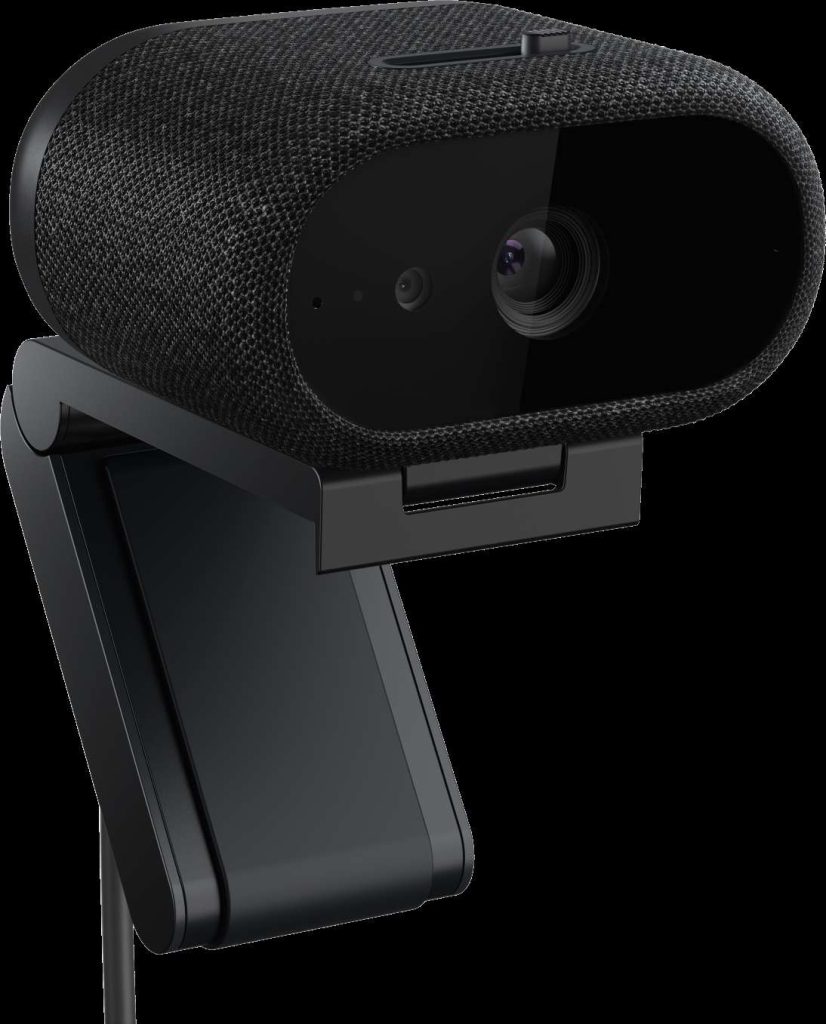
The Heavy Hitter: Dell Pro 7 Webcam 4K (WB726)
As Dell’s most intelligent 4K webcam to date, the Pro 7 (WB726) is engineered for executives, content creators, and professionals who refuse to compromise on visual fidelity or automation.
Key Highlights:
-
Unmatched Fluidity: Combines a premium Sony STARVIS sensor with an advanced AI-driven Image Signal Processor (ISP) to deliver a crisp 4K UHD stream at a buttery-smooth 60fps.
-
Vision-Based AI Audio: Busy coffee shop or loud household? The webcam utilises an AI-driven, vision-based microphone system. Aligning the audio capture with the active field of view, it isolates your voice and filters out background noise outside the frame.
-
Zero-Touch Security: Featuring built-in presence sensing and Windows Hello, the camera automatically signs you in as you approach your desk and locks your PC the moment you step away.
Best For: Professionals seeking a premium, future-proof video experience with top-tier automation and crisp 60fps motion.
The Sweet Spot: Dell Pro 5 Webcam 2K (WB526)
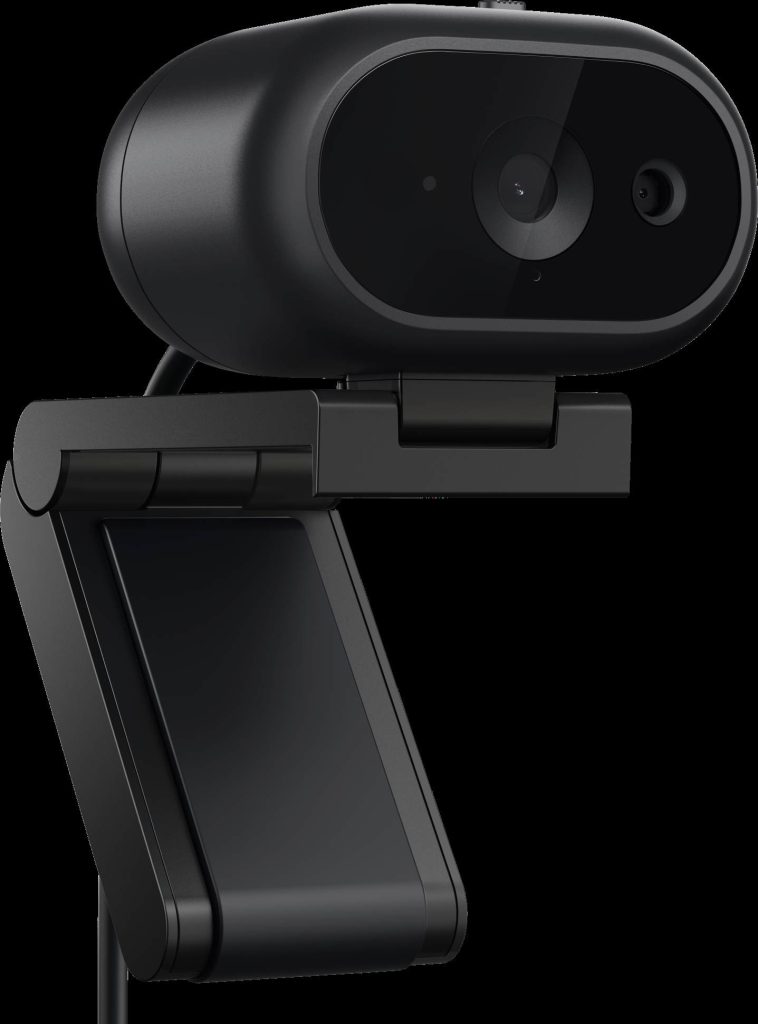
Premium features shouldn’t always require a premium price tag. The Dell Pro 5 (WB526) marks a major milestone as Dell’s first Windows Hello-enabled 2K webcam, bringing enterprise-grade security and intelligent imaging to the broader workforce.
Key Highlights:
-
Vibrant 2K QHD Visuals: Utilising a high-performance Sony sensor, the Pro 5 strikes the perfect balance between bandwidth efficiency and exceptional clarity.
-
Seamless Facial Recognition: Skip the typing. Built-in Windows Hello ensures secure, instant logins via facial recognition.
-
Open-Office Security: Designed with hot-desking and co-working spaces in mind, it includes a Kensington lock-compatible metal loop to deter theft physically.
Best For: Everyday corporate deployment, hybrid commuters, and users wanting secure biometric login without the 4K price premium.
Next-Gen Productivity: Document View & Gesture Control
Dell didn’t just stop at improving how you look; they also changed how you present. Both the Pro 7 and Pro 5 models debut two game-changing intelligent collaboration tools:
-
Document View: Need to show a physical sketch, a signed contract, or a product prototype? Tilt the camera down, and the software automatically flips and adjusts the image’s orientation so your audience can read it perfectly.
-
Gesture Control: Interact with your camera without fumbling for your mouse. Use simple, intuitive hand gestures to trigger zoom functions or focus on specific objects seamlessly.
Choosing the Right Fit for Your Workspace
With these new additions, Dell’s professional webcam portfolio now offers a clear tiering for every role, budget, and work style:
| Model | Resolution / Framerate | Key Differentiators | Ideal User |
| Dell Pro 7 (WB726) | 4K UHD @ 60fps | Sony STARVIS™, AI Vision Audio, Presence Sensing | Executives, Presenters, Power Users |
| Dell Pro 5 (WB526) | 2K QHD @ 30fps | Windows Hello Login, Kensington Lock Loop | Hybrid Corporate Professionals |
| Dell Pro 3 (WB3023) | 2K QHD @ 30fps | Compact, reliable, essential pro-features | Everyday calls, budget-conscious teams |
Pricing and Availability
Whether you are looking to upgrade your personal home office setup or standardise hardware across an entire global enterprise, Dell’s new lineup is built to scale.
Both models are available globally starting today:
-
Dell Pro 7 Webcam 4K (WB726): available for £193.52 GBP
-
Dell Pro 5 Webcam 2K (WB526): available for £119.22 GBP
More stories